
Free Random Video Chat with Strangers
Shuffle video chat · Random text chat · Chat rooms · Video calls
FaceFlow is a free video chat site where you meet new people at random, by video or by text. You can also join chat rooms and call your friends. It works in the browser, and you start with a free account.
- Sign up with Google, Facebook or email
- Works in the browser on computers and phones
1M+ sign-ups since launch

Four ways to chat on FaceFlow
Meet someone new at random, or talk with the people you already know. All four ways are free.
Shuffle video chat
Shuffle is the random video chat on FaceFlow. It pairs you with one new person for a round of about 60 seconds, and prompts on the screen give you something to talk about. When the time is up, select "Keep talking" or "Shuffle again". You can skip to the next person at any time.
Random text chat
Random text chat pairs you with one new person, and you talk by text with the camera off. The first time, you pick your interests. FaceFlow then looks for a person who shares them.
Talk to strangersChat rooms
Join a public chat room and talk with many people at the same time, by text or by voice. You can also open your own room, public or private, and choose its moderators.
Chat roomsVideo calls with friends
Call the people on your friends list, one to one or in a group. A group video call holds up to 6 people. Voice calls work the same way.
Free video callHow random video chat works
Create a free account
Sign up with Google, Facebook or email. The account is free.
Start Shuffle video chat
Let the browser use your camera and microphone, then select "Shuffle Video Chat". Before your first Shuffle there is a short first-time step.
Keep talking, or shuffle again
Each round is about 60 seconds. Select "Keep talking" to continue, or "Shuffle again" to meet a new person. To find a person again later, send a friend request.
Why you need an account
Every person on FaceFlow has a free account. The account gives you a profile and a friends list, so you can find the people you meet again. It also makes Block and Report possible, and it lets moderators act on an account that breaks the rules.
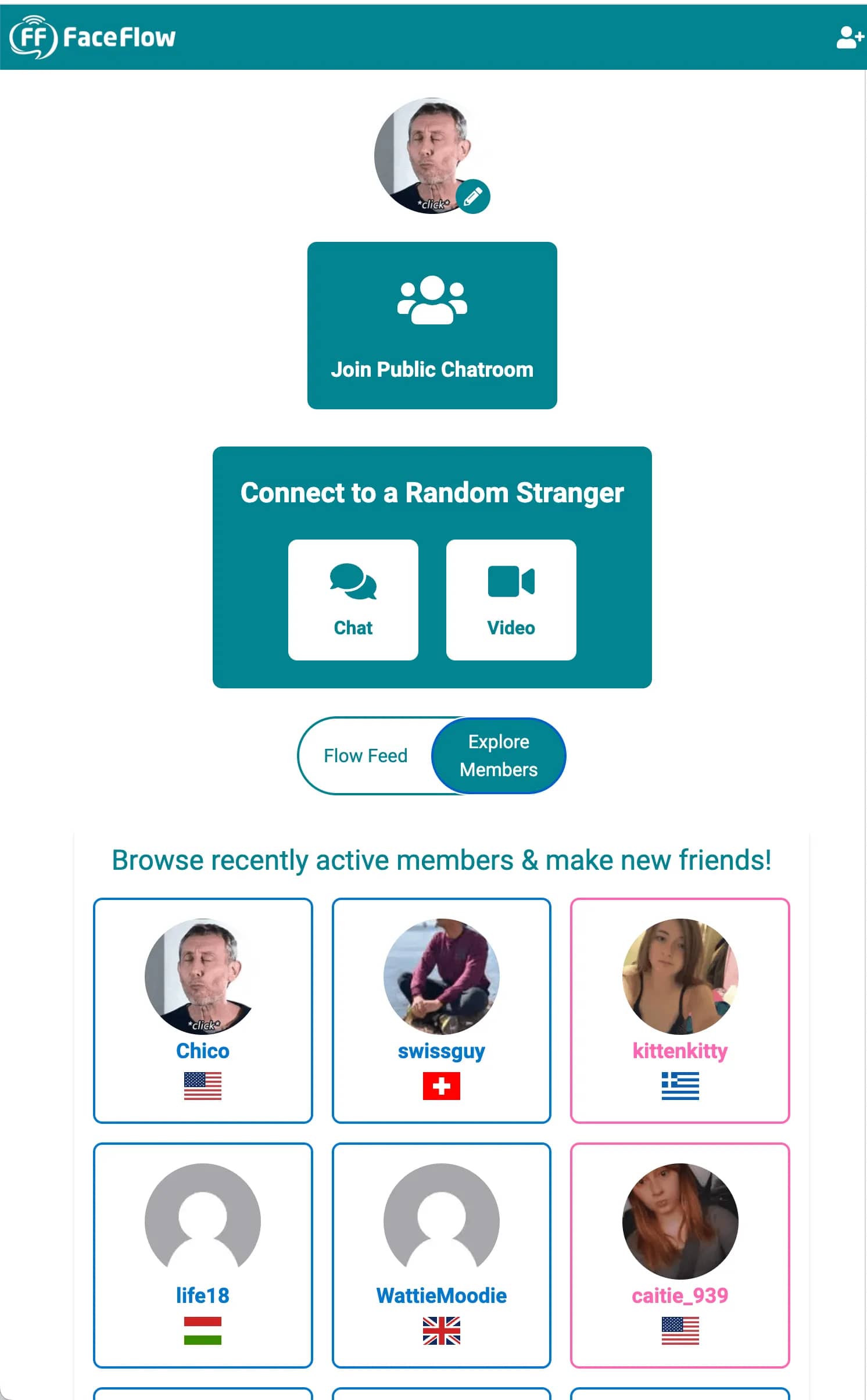
Make friends and keep in touch
A random chat ends, but the people you like can stay. FaceFlow has the tools of a small social network.
Friends list
Send a friend request to a person you like. Your friends list shows who is online, and you can write to a friend or call a friend at any time.
Groups and your own rooms
Start a group chat with your friends, or open your own chat room. A private room has a code and a password, and the owner chooses the moderators.
Games
Play Tic-Tac-Toe, Connect Four, Sketch & Guess, Truth or Dare and other games with a friend, in a group or in a public room. The Games tab can also find you an opponent.
Profiles
Add a photo, a cover, an About text, a gallery and a music playlist to your profile. In Explore Members you can browse profiles by country or by interests.
Message translation
FaceFlow translates messages automatically in private one-to-one chats and in random text chat, so you can talk with people who write in another language.
Safety tools on FaceFlow
You decide who you talk to. These are the tools you have.
Skip
You can leave a random chat at any time. In Shuffle video chat, one tap takes you to the next person.
Block and report
You can block a person or report them from their profile. You open the profile from a text chat, a chat room or a friend request.
Room moderators
Public rooms have moderators who can mute people. In your own room, you choose the moderators.
Take care with people you just met
Keep your address, your passwords and other private details to yourself. Leave a chat that makes you uncomfortable, and report the person.
You must be 13 or older to use FaceFlow.
What happened to Omegle?
Omegle shut down on 8 November 2023. Many people who used it now look for another place to talk to strangers by video or by text.
FaceFlow has random video chat and random text chat, and it adds chat rooms, a friends list and calls with friends. FaceFlow is not affiliated with Omegle.
More on this page: Omegle alternative
FaceFlow at a glance
| Price | The account and the main features are free, with no fees to chat. A Premium plan is optional. |
|---|---|
| Account | Needed. Sign up with Google, Facebook or email. |
| Random chat | Shuffle video chat in rounds of about 60 seconds, and random text chat. |
| Matching | Shuffle pairs you with people from any country. A common-interests option is available. |
| Group calls | Up to 6 people. |
| Chat rooms | Public rooms with text and voice. Your own rooms, public or private. |
| Devices | Works in the browser on computers, tablets and phones. You can add it to your home screen. |
| Connection | Encrypted in transit. |